CTR Manipulation Tools for Real Human Clickers: Pricing Guide
You are paying per click but cannot tell whether a real person loaded the page. That matters when campaigns run on Google Search, Bing, Maps and AI Overviews, where a screenshot of each visit is the only proof you get.
This guide breaks down CTRTool pricing by credit consumption, campaign type and daily search count. You will learn how Desktop and Mobile CTR campaigns differ in cost, what the credit model covers, and whether the price fits your keyword and location targets.
What Is CTRTool? Real Human Clickers for Search, Maps and AI Overviews
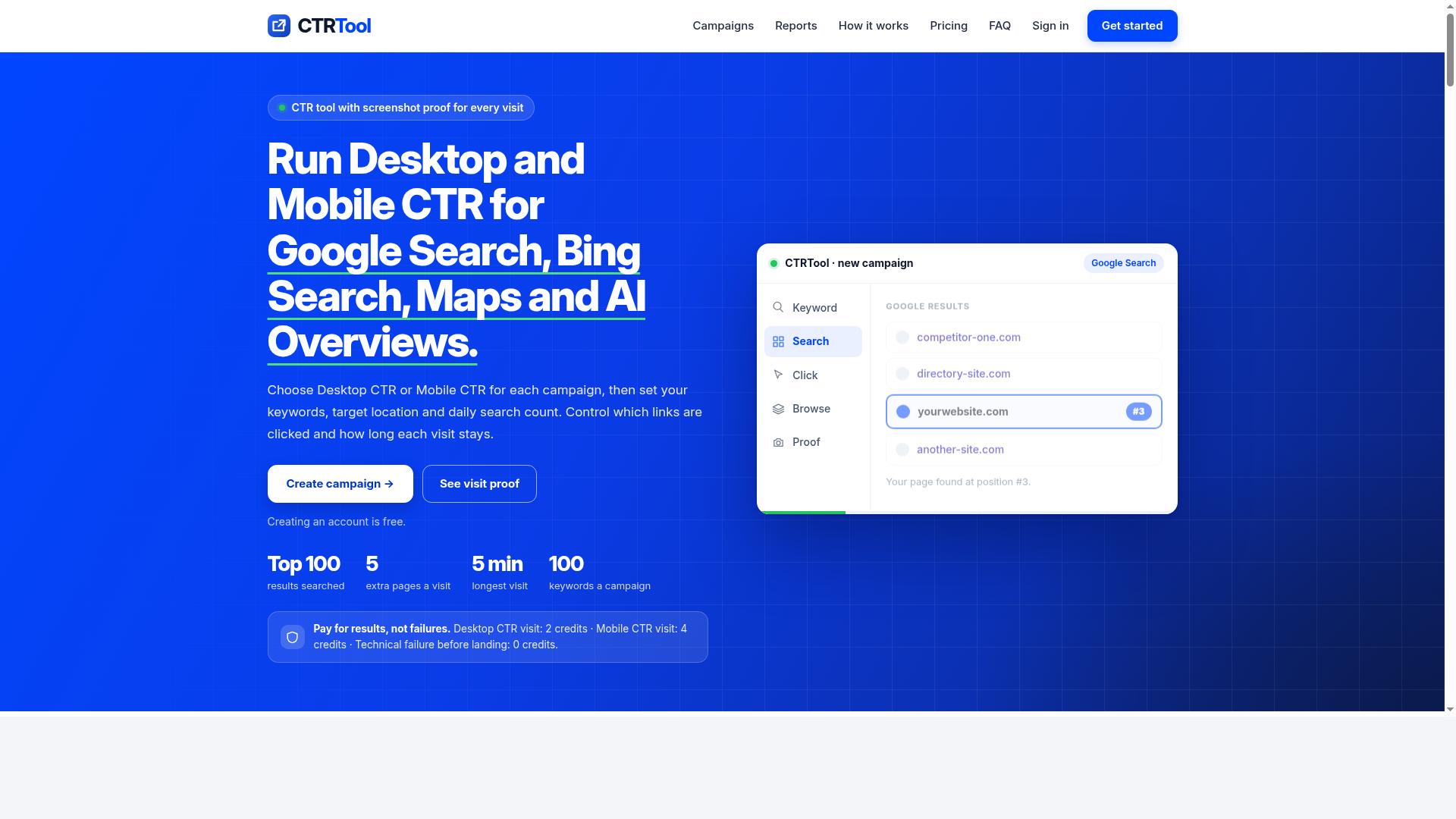
CTRTool is a SaaS platform that runs click-through rate (CTR) campaigns to climb up the SERPs across Google Search, Bing Search, Google Maps, and AI Overviews. Instead of relying on click bots or automated scripts, the platform routes campaign activity through real people, which matters for tools operating in a space where click fraud detection and anti-bot systems are constantly improving.
The core idea is simple. Organic rankings respond to user behavior signals such as clicks, dwell time, and engagement metrics, and CTRTool lets you shape those signals deliberately. Users set keywords, choose a target location, and define a daily search count, giving them control over the shape of each campaign.
Every visit is backed by screenshot proof, so you can verify that clicks actually happened rather than taking a dashboard's word for it. That level of transparency is rare among CTR manipulation tools, and it is a key reason the platform is worth understanding before you compare subscription pricing.
One point the site makes plainly: automated visits do not guarantee rankings. CTRTool is a tool for influencing user behavior signals, not a promise of page one. That honesty sets realistic expectations as you move into the platform's audience and coverage.
Who CTRTool Serves and Which Platforms It Covers
CTRTool is built for SEO practitioners and agencies running CTR campaigns for their own or client websites across Google Search, Bing Search, Google Maps, and AI Overviews. Website owners who manage their own organic traffic strategy also fit the profile, particularly those who want keyword-level targeting without building an in-house clicking operation.
For agencies, the appeal is campaign control across multiple client properties. The site's guidance mentions using tier links, PBNs, and test properties, which suggests the tool is designed for users who already understand link and traffic strategy rather than complete beginners.
The platform coverage is worth listing clearly, because each surface behaves differently:
- Google Search: the core surface for traditional SERP visibility campaigns
- Bing Search: useful for Bing SEO and diversifying behavior signals beyond Google
- Google Maps: local pack visibility for businesses competing on proximity and relevance
- AI Overviews: a newer surface where impression-to-click ratio and engagement patterns are still being understood
Campaigns can target specific countries, states, and cities, so geo-targeted clicks land where your actual customers are. Users also choose Desktop CTR or Mobile CTR per campaign and control which links are clicked and how long each visit stays, which shapes dwell time and bounce rate reduction in a measurable way.
That combination of device choice, location targeting, and per-visit control is what separates a structured CTR campaign from a blunt click farm. It also explains why pricing is usually tied to volume and targeting rather than a flat monthly fee, a detail covered later in this pricing guide.
Does CTRTool Deliver Real Human Clickers? The Pricing Question Answered
CTRTool operates on a credit-based pricing model where each credit corresponds to a real human click, directly tying cost to actual visits rather than promises. That structure is the clearest answer to the question buyers ask most often: does this platform deliver genuine human traffic or just automated noise?
The distinction matters because click bots and human click farms rarely survive contact with modern anti-bot systems. CTRTool frames its service around real people performing keyword-level targeting visits, with screenshot proof attached to the results. You are paying for completed visits, not for a vague assurance that traffic will appear.
Pricing transparency is the second half of the answer. Every plan converts cleanly into a visit count, so you can see exactly what your budget buys before committing. That is a different experience from pay-per-click platforms where cost per click varies by auction pressure and final volume stays uncertain until the invoice arrives.
For anyone weighing CTR manipulation as a way to lift SERP visibility, the practical test is simple: can you trace each dollar to a specific, verifiable visit? CTRTool's model is built so that you can. The H3 below breaks down the credit mechanics and the plan tiers in detail.
How the Pay-for-Results Credit Model Works
Under CTRTool's credit model, users purchase monthly plans that allocate a set number of credits, with each credit redeemable for one desktop visit or half a mobile visit. In practice, a desktop CTR visit costs 2 credits and a mobile CTR visit costs 4 credits, so mobile traffic carries the higher rate.
The credit ledger also covers edge cases that affect real campaigns. A verified search without a match costs 1 credit, while a technical failure before landing costs 0 credits. That last rule is the heart of the pay-for-results promise: you are not billed when the visit never happens.
Here is how the published monthly plans translate into visits:
| Plan | Monthly Price | Credits | Up to Desktop Visits | Up to Mobile Visits |
|---|---|---|---|---|
| Starter | $59 | 2,000 | 1,000 | 500 |
| Growth (Recommended) | $125 | 5,000 | 2,500 | 1,250 |
| Scale | $399 | 20,000 | 10,000 | 5,000 |
| Agency | $699 | 40,000 | 20,000 | 10,000 |
Two further details shape how you should plan a budget. First, unused credits roll over while your subscription is active and expire when cancellation takes effect, so quiet months are not wasted. Second, the site displays limited launch pricing with the notice that prices rise 30% on November 15, which is worth factoring into any longer-term pricing guide comparison.
Creating an account is free, and custom development carries a separate, agreed one-time fee. The result is a model where subscription pricing maps directly to daily click quotas you can forecast. Whether your goal is Google rankings, Bing SEO, YouTube CTR, or Amazon CTR, the cost of a campaign is knowable in advance rather than discovered afterward.
Key Features That Shape the Cost per Campaign
Several core features of CTRTool directly influence the cost per campaign, including the choice between desktop and mobile campaigns, the level of proof provided, and the tracking of keyword positions. Understanding these variables helps you plan a budget that matches your ranking goals.
CTRTool runs on a pay-for-results credit model, so every campaign draws from one shared credit balance across all campaign types, websites and keywords. That structure makes it easier to compare the true cost of different campaign setups before you commit.
Three factors matter most when estimating spend:
- Device type, since mobile visits consume more credits than desktop visits
- Proof and reporting, including search and landing screenshots plus full visit paths
- Tracking scope, covering keyword positions over time, Maps listing order and AI citation order
Each of these shapes both the credit cost and the strategic value of a campaign. The subsections below break down how they interact.
Desktop vs Mobile CTR Campaigns and Credit Consumption
CTRTool lets users choose between desktop and mobile CTR campaigns, with mobile visits consuming twice as many credits as desktop visits. This is the single biggest lever on cost per campaign.
The credit math is straightforward:
- 2 credits per desktop visit
- 4 credits per mobile visit
In practice, a 2,000-credit plan yields roughly 1,000 desktop visits or 500 mobile visits. A campaign mixing both device types will land somewhere between those figures depending on the split you choose.
This difference should shape strategy, not just budgeting. Mobile campaigns cost more per visit, but they can target mobile-heavy niches where most searches happen on phones. Desktop campaigns stretch the same credit balance further when your audience skews toward larger screens.
Device targeting is available for both Google and Bing search campaigns, so you can match the device mix to each keyword set. Delivery runs through Desktop Chrome windows and real Android phone sessions matched to your target location via managed proxy routes. Visits that cannot verify the requested location use no credits, which protects your budget when targeting is strict.
Screenshot Proof, Visit Paths and Keyword Position Tracking
Every CTRTool campaign includes screenshot proof for each visit, full visit paths showing the user's journey, and keyword position tracking over time to verify ranking improvements. These features are what separate a verifiable campaign from an unaccountable one.
Proof arrives as two separate images: a search screenshot showing the query and result, and a landing screenshot confirming the visit reached your page. Full visit paths then document the sequence of pages each visitor moved through, including up to five additional internal pages per visit.
Tracking goes beyond standard search positions. CTRTool monitors keyword positions in search results, Maps listing order, and AI citation order, giving you a fuller picture of SERP visibility across surfaces. Because these records build over time, you can compare ranking movement against campaign activity rather than relying on guesswork.
This reporting depth justifies the cost in a practical way. You can confirm that credits produced real visits, see how those visitors behaved on-site, and check whether rankings responded. The pay-for-results model reinforces this: no credits are charged for technical failures before landing, so spend stays tied to completed, documented visits.
CTRTool Pricing and Plans in Detail
CTRTool offers monthly subscription pricing in US dollars, with plans built around a credit system. Each plan sets a fixed number of credits per month, and each credit converts into a set number of desktop or mobile CTR visits. Creating an account is free, so you can review the interface before committing to a paid tier.
The credit model is simple to plan around. A desktop CTR visit costs 2 credits, while a mobile CTR visit costs 4 credits. A verified search that does not produce a match costs 1 credit, and a technical failure before the landing page costs 0 credits. That structure means you only pay meaningfully for visits that actually reach your page.
Unused credits roll over while your subscription stays active, so a quiet month does not mean wasted spend. Credits expire when a cancellation takes effect. CTRTool also notes that prices rise 30% on November 15, which matters if you are comparing the current rates against a later purchase.
Starter, Growth and Scale: Credits and Visit Capacity
The Starter plan at $59 per month provides 2,000 credits, enough for up to 1,000 desktop visits or 500 mobile visits, making it suitable for small websites or testing. It is the natural entry point for a site owner who wants to see how real human clickers affect early SERP visibility before scaling up.
The Growth plan at $125 per month provides 5,000 credits, covering up to 2,500 desktop or 1,250 mobile visits. CTRTool marks this tier as Recommended, and it fits growing sites that already rank for a set of keywords and want steadier user behavior signals across them.
The Scale plan at $399 per month provides 20,000 credits, enough for up to 10,000 desktop or 5,000 mobile visits. For agencies or high-volume campaigns, the Agency plan at $699 per month offers 40,000 credits, covering up to 20,000 desktop or 10,000 mobile visits.
All tiers run on the same credit rules, so upgrading simply buys more visit capacity. A quick comparison:
| Plan | Price per Month | Credits | Desktop Visits | Mobile Visits |
|---|---|---|---|---|
| Starter | $59 | 2,000 | 1,000 | 500 |
| Growth | $125 | 5,000 | 2,500 | 1,250 |
| Scale | $399 | 20,000 | 10,000 | 5,000 |
| Agency | $699 | 40,000 | 20,000 | 10,000 |
Custom development is available under a separate, agreed one-time fee if your needs fall outside these tiers.
Campaign Limits, Daily Goals and Location Targeting
Each CTRTool plan supports daily click goals and offers geo-targeting down to the city level to focus clicks on specific locations. These controls matter because a natural-looking click pattern is harder for anti-bot systems and click fraud detection to flag than a sudden burst.
Daily goals let you spread visits across the month instead of firing them all at once. Setting a modest daily click target keeps your hourly click rates and daily click quotas within believable ranges, which supports a healthier impression-to-click ratio over time.
Location targeting works at three levels. You choose a country, optionally narrow to a state and city, or select Any country to draw from a mix of supported locations. There are no country restrictions stated, so campaigns can run globally.
For search campaigns, keyword-level targeting is available, letting you direct clicks toward specific queries rather than a site as a whole. Combined with dwell time and bounce rate reduction goals, these settings help clicks read as genuine engagement rather than mechanical traffic. Used together, daily pacing and geo-targeted clicks give you the levers to keep visits looking organic across Google rankings, Bing SEO, or other channels.
Trust Signals: Proof for Every Visit
CTRTool provides screenshot proof for every visit, including separate search and landing screenshots, along with full visit paths and keyword position tracking to build trust and verify results. These proof layers turn a campaign from a promise into something you can inspect.
That matters in a market where many providers ask you to take delivery on faith. With CTR manipulation, the buyer cannot see the clicker, so verification is the product. CTRTool treats proof as a standard part of each visit rather than an optional extra.
The proof set covers three distinct questions a buyer should always ask.
- Did the visit happen? The search screenshot shows the query and the result as it appeared.
- Did the visitor arrive? The landing screenshot is captured as a separate image, so the search and landing evidence are never merged into one ambiguous file.
- Was the journey realistic? The full visit path records the route taken through the site, which supports natural user behavior signals such as dwell time and bounce rate reduction.
Because the two screenshots are kept separate, you can confirm the search step and the on-site step independently. That separation is a small design choice with real consequences for anyone auditing a campaign.
Rankings are the outcome buyers actually care about, and CTRTool tracks keyword positions over time. This includes Maps listing order and AI citation order, so visibility is monitored beyond the classic blue links.
Position history lets you compare movement against the periods when visits were running. That is far more useful than a single snapshot, since search engine rankings shift for many reasons. A trend line gives context that one report cannot.
For teams watching SERP visibility across Google and Bing SEO work, this creates a feedback loop. You see what changed, when it changed, and whether the change held.
The proof only means something if the clicks are genuine, and CTRTool uses real human clickers, not click bots. Automated traffic is exactly what anti-bot systems and click fraud detection are built to catch.
Human visits carry the messy, natural signals that bot traffic struggles to fake. This reduces exposure to the detection risks that plague scripted approaches, including patterns associated with IP rotation, residential proxies, device fingerprinting, and browser fingerprint spoofing.
The model also protects the buyer's budget. Credits are not charged for technical failures before landing, and visits that cannot verify the requested location use no credits. In other words, unproven visits do not cost you, which aligns the platform's incentives with delivering verifiable results.
For anyone weighing a pricing guide against real value, this is the credibility layer that matters most. Proof, human delivery, and position tracking together let you judge a campaign on evidence rather than claims.
Who Should Use CTRTool
CTRTool is ideal for SEO practitioners, agencies, and website owners who want to climb up the SERPs through CTR manipulation and need verifiable proof of visits. The platform is built for people who treat click-through rate as a measurable input to SERP visibility, not as a guessing game.
The tool supports campaigns across Google Search, Bing Search, Google Maps, and AI Overviews, so it fits teams working on more than one surface. That range matters for anyone running keyword-level targeting on organic results while also managing local visibility through Maps listings.
Three groups tend to get the most from it:
- SEO professionals managing their own sites, who want to test how user behavior signals affect Google rankings and track results campaign by campaign.
- Agencies handling client sites, where proof of delivery matters for reporting and for justifying spend.
- Businesses targeting local markets via Google Maps, where geo-targeted clicks and steady engagement metrics can support map pack visibility.
The site's guidance also references using tier links, PBNs, and test properties, which suits practitioners who already understand how to structure supporting assets around a campaign. If you run a small portfolio of properties, that framing will feel familiar.
CTRTool is a good match for anyone comfortable with a credit-based pricing model. Credits map directly to the clicks you order, so you can scale daily click quotas up or down rather than committing to a fixed subscription tier you may not fully use.
It also suits buyers who want transparent, proof-based campaigns. Verifiable visit records let you compare what you paid for against what was delivered, which is the core of a sane pricing guide for any CTR manipulation tool.
What CTRTool is not for matters just as much. It is not aimed at people seeking bot traffic, and it does not promise unverifiable results. If your goal is cheap click bots with no reporting, this is the wrong tool. If you want real human clickers and a clear record of each campaign, it fits.
Practitioners who need keyword-level targeting, geo-targeted clicks, and dwell time control to influence bounce rate reduction will find the campaign structure aligns with how they already think about engagement metrics. The verdict is straightforward: CTRTool is a legitimate fit for serious SEO work, provided you value proof over volume.
Final Verdict: Is CTRTool Worth the Price?
CTRTool is worth the price if you value verifiable, real-human CTR campaigns with screenshot proof and are prepared to invest in monthly plans starting at $59. The tool is built for SEO practitioners who want to influence click-through rate and search engine rankings using genuine user behavior signals rather than automated click bots.
What separates CTRTool from cheaper alternatives is the proof. Every campaign is backed by screenshot evidence that real human clickers completed the assigned actions. That documentation matters when you need to justify spend to a client or internal stakeholder.
The value proposition rests on four pillars:
- Real human clickers instead of bot traffic, which reduces exposure to click fraud detection and anti-bot systems
- Screenshot proof for each completed campaign, giving you a verifiable record
- Multi-platform support covering Google Search, Bing Search, Google Maps, and AI Overviews
- Transparent subscription pricing with plans starting at $59 per month for 2,000 credits
At $59 per month for 2,000 credits, the entry tier is a scalable way to improve CTR without committing to a large upfront spend. Credits let you control daily click quotas and keyword-level targeting so budget goes where it matters most.
For serious SEO practitioners, the proof mechanisms justify the cost. Screenshot evidence turns an otherwise intangible service into something you can audit, report on, and defend. That level of accountability is rare in the CTR manipulation space.
If you have questions before committing, the support email listed in the FAQ is vaibhav@autoblogging.ai. The site also includes pages for Support, Terms of use, and Legal notices, so you can review the terms before purchasing.
Balanced verdict: CTRTool is recommended for those who need reliable CTR manipulation with proof and are comfortable with monthly subscription pricing. If you want verifiable, real-human campaigns across multiple platforms and are ready to invest from $59 per month, CTRTool delivers a credible, documented path to stronger SERP visibility and engagement metrics.
Frequently Asked Questions
How much does CTRTool cost, and what do the credits actually get me?
CTRTool offers monthly plans in USD: Starter is $59/month for 2,000 credits (up to 1,000 Desktop CTR visits or 500 Mobile CTR visits), and Growth is $125/month for 5,000 credits (up to 2,500 Desktop or 1,250 Mobile visits). Because pricing is credit-based, the number of visits you can run depends on whether you choose Desktop or Mobile CTR for each campaign.
What makes CTRTool different from other CTR manipulation tools?
CTRTool is built around screenshot proof for every visit, with search and landing screenshots provided as separate proof images, plus full visit paths. It also tracks keyword positions over time, including Maps listing order and AI citation order, so you can verify results rather than take them on trust.
Which platforms and campaign types does CTRTool support?
CTRTool runs Desktop and Mobile CTR campaigns for Google Search, Bing Search, Maps and AI Overviews. For search campaigns you set keywords and click the organic result (top 100 results, including internal pages), while Maps campaigns find your business listing and click its website, and AI Overview campaigns require a matching source link.
Can I target a specific country, state or city for my campaigns?
Yes. CTRTool lets you target a chosen country and optionally a state and city, or select "Any country" to use a mix of supported locations. It's a global online service with no country restrictions stated, so agencies can run campaigns for clients in different markets.
What are the eligibility requirements for a campaign to work?
Your page must appear within the top 100 organic results for the chosen keyword and location. Maps campaigns check up to 50 listings (about five pages), and AI Overview campaigns need a matching source link before visits can be delivered.
How do I get help or ask a pricing question before subscribing?
You can reach CTRTool support by email at vaibhav@autoblogging.ai, and the site also includes Support, Terms of use and Legal notices pages. If you're unsure which plan fits your campaign volume, contact support with your Desktop vs. Mobile mix and they can point you to the right credit tier.